
8 Best MovieBox Alternatives For Free to Stream Movies & TV
No doubt, MovieBox APK is an amazing movie app to watch online series and other content. But sometimes, instead of smooth streaming, the app crashes when you click a title, shows buffering, or causes certificate revocation on iOS devices. That’s why movie lovers search for MovieBox alternatives to enjoy smooth streaming. Alternative streaming apps remove all streaming issues and provide access to unlimited TV series, live channels, and on-demand entertainment.
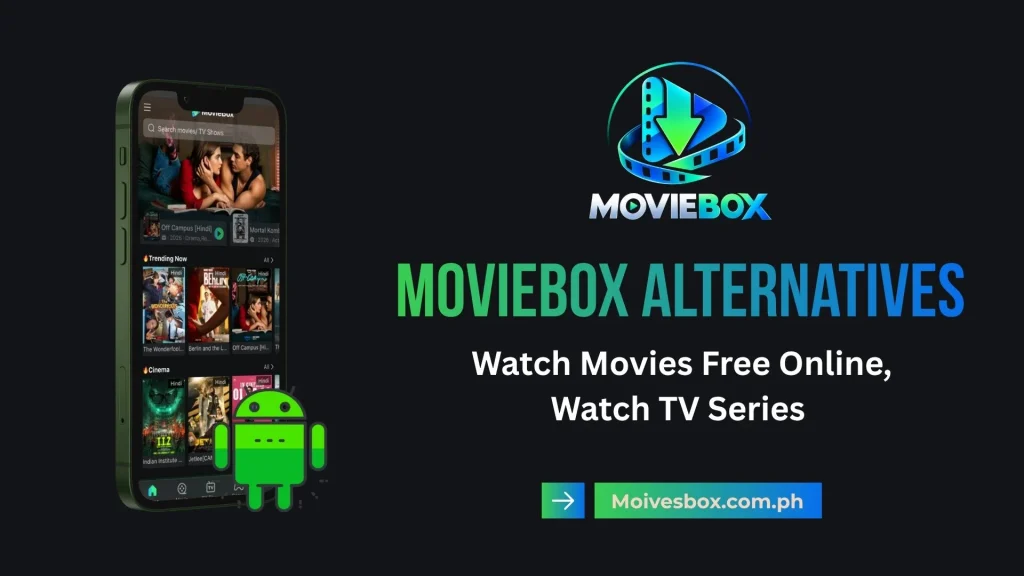
Additionally, some apps also have adaptive streaming, different video quality options, subtitle support, and more. On the internet, you will find a few unofficial apps which source content through third-party sources, while official networks like Tubi TV provide free entertainment through ad-supported networks. In this guide, we will discuss the 8 best MovieBox alternatives in 2026 to help you find the suitable platform.
Top Unofficial MovieBox Alternatives for Free Streaming
There are a few unofficial alternative APK apps of MovieBox that will let you watch online content without invite codes or paid VIP plans. You can use these apps on Android phones, Firestick, and Smart TVs.
Cinema HD

Cinema HD is an Android-based streaming app. After downloading it, you can choose from a large collection of movies and TV shows. However, it does not upload content directly; instead, it collects resources from different platforms and shows results on your screen. You can also find content in different categories for free.
BeeTV

BeeTV is another of the best MovieBox alternatives, which has millions of downloads. Due to its multi-device compatibility, you can use it on Android phones, Amazon Firestick, and Smart TVs. It works as an automated search engine which collects HD-quality video streams from different online sources.
Stremio

Stremio is an open-source media app that will help you organize and watch content from a single platform. Instead of using a centralized server, it uses community-developed filters or categories to organize movies, TV shows, and YouTube videos.
NetMirror
NetMirror is another famous alternative to the MovieBox app. Basically, it works as comprehensive media mirroring software. The app interface is sleek and has a dark-themed portal that contains categories of web series, trending blockbusters, and international entertainment.
Best 100% Legal & Free MovieBox Alternatives
If you don’t want to experience iOS certificate revokes or server takedown problems, you should refer to completely legal services. Here are a few legal and free MovieBox alternatives that provide ad-supported streaming services.
Tubi TV
Tubi TV is a legal, free streaming service that is owned by Fox Corporation. It hosts a huge collection of over 50,000 movies and television shows. You can use it to watch your favorite shows and movies without any subscription plan. The free plan is possible due to its commercial ad-supported model.
Pluto TV
Pluto TV provides an option to watch live TV shows or explore on-demand, massive movie directories. The Pluto TV service is owned by Paramount Streaming and features dedicated channels.
You can easily watch content from CBS, MTV, Nickelodeon, Comedy Central, and more from the platform. With the web-browser platform, you don’t need to download any app; just like the MovieBox web version.
Plex
Plex is a free streaming platform that is supported by commercial ad networks. Due to ad support, you can watch movies, TV shows, and live TV channels without needing a subscription plan. You can also organize and stream personal media on different devices like mobile phones, tablets, and PCs
The Roku Channel
The Roku Channel is another ad-supported media streaming platform. However, it is especially designed for Roku devices, web browsers, mobile phones, and select smart TVs. Being a top-tier FAST platform, it offers a premium selection of licensed Hollywood movies, live news, and exclusive original content.
MovieBox vs. the Alternatives: Side-by-Side Feature Comparison
To help you choose the right streaming app to watch your favorite movies, we have broken down the key features, pricing models, and performance metrics of each platform.
| Streaming Platform | Pricing | Sign-Up Required? | Offline Downloads | Legal Status | Supported Platforms | Downloading Method |
| MovieBox / Pro | Free / VIP plan | Sometimes; VIP or an invite may be required | Available in some versions | Unofficial | Android, iOS, Web | Sideload APK file on Android, use emulator for Windows or Mac |
| Cinema HD | Free | No | Available in some versions | Unofficial | Android, Firestick, TV | Sideloaded APK; direct link scraper via internal/external downloaders |
| Stremio | Free | Account may be needed for some features | Depends on the source | Open-source; content legality varies | Windows, Android, iOS, TV | Open-source add-on engine & direct stream caching |
| NetMirror | Free | Depends on the version | Availability varies | Unofficial | Android, iOS, Web, TV | In-app server mirrors and web-portal downloading |
| Tubi TV | Free with ads | No, for basic viewing | No | Legal | Mobile, Web, Smart TVs | Online streaming only (Direct playback via official App Store app) |
| Pluto TV | Free with ads | No, for basic viewing | No | Legal | Mobile, Web, Smart TVs | Online streaming only (Linear live TV & VOD playback via official apps) |
| Plex | Free with ads; paid features available | An account is required for many features | Depends on the feature and plan | Legal | Windows, Mac, Android, iOS, Smart TVs | Plex Pass mobile downloads or personal server sync engine |
| The Roku Channel | Free with ads | Not always; availability varies | No | Legal | Roku, Web, iOS, Android | Online streaming only (Web portal or official channel app playback) |
Picking the Best Alternative For MovieBox Streaming App: What to Look For?
If you are planning to choose MovieBox alternatives, you must consider some technical factors to have a smooth movie-watching experience.
Device Compatibility
Before installing the alternative streaming app, you must ensure it is compatible with your device. The interface should be designed specifically for your device; it should not stretch on larger screens. Additionally, for smartphones, the app must have an efficient touchscreen layout, while for Amazon TV or FireStick, it must have a remote-friendly UI.
Scraper Quality & Debrid Support

For third-party streaming services, it is better to check their link quality, source availability, and support for services like Real-Debrid.
When the app supports reliable scrapers, it will help you find HD-quality movie and TV show links. You will also have multiple resolution options such as 1080p and 4K streams.
Safety and App Stability

You must also check the source of the app from where you are downloading from. Apps installed from official app stores like the Google Play Store have fewer technical issues.
They do not crash, and the iOS certificate also doesn’t get revoked. On the other hand, unofficial MovieBox alternatives that are downloaded as APK files may contain malware and stop working after updates. For better security, check app permissions, scan APK files, and install from verified sources.
Offline Caching

If you are planning a trip and will have an unstable or no internet connection, you can download movies or shows for offline watching. OnStream, Cinema HD, or NetMirror mainly support offline downloading features. But you must confirm that the current version supports downloads or local file storage.
Why Viewers Search for MovieBox Alternative Streaming App?
However, the MovieBox app has had a huge number of followers for years, but there are different technical issues for which users switch to alternative apps. The reasons for choosing alternative apps include:
Final Words
The decision to choose the MovieBox alternatives depends on various factors. For example, you have to ensure device compatibility, sources of downloading, streaming quality, and preferred content. There are a few unofficial and legal alternatives that provide a free, ad-supported streaming experience.
So, you don’t have to pay for a subscription plan or any hidden charges. After comparing various streaming apps’ safety, offline viewing support, and available content, you must choose the best app that fulfills all your needs.